Enjoy iolo’s premium Android App – FREE
Get the premium version of iolo’s Auto Memory Manager Android app—designed to help speed up your Android device—for free.
Simply follow the instructions below to download your free app.

Named one of the “100 Best Android
Apps of 2013” by PCMag.com
“Worth downloading when your
Android phone begins to feel sluggish.”
– PCMag.com, 2013
How to easily download your FREE Auto Memory Manager App for your Android device:
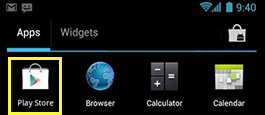

2
Search for “Auto Memory Manager” and click the
“Install” button.
“Install” button.
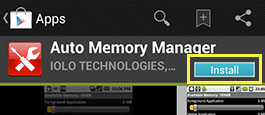

Once your app is installed, convert it to the Premium version by following these steps:
1
Launch Auto Memory Manager on your Android device.
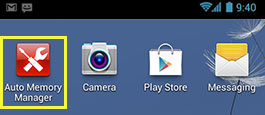
2
Select the Android main menu button, then choose
Preferences.
Preferences.
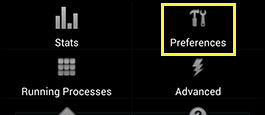
3
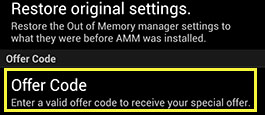
Scroll to the bottom until you see “Offer Code” and select it.
4
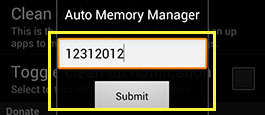
Enter code: 12312012, then click Submit.
Congratulations, you now have Auto Memory Manager Premium optimizing your Android device!