NEXT STEP:
Activate your software.
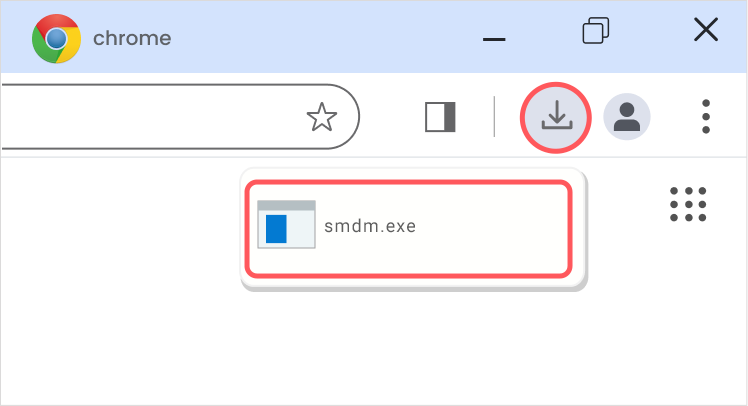
- Download System Mechanic below.
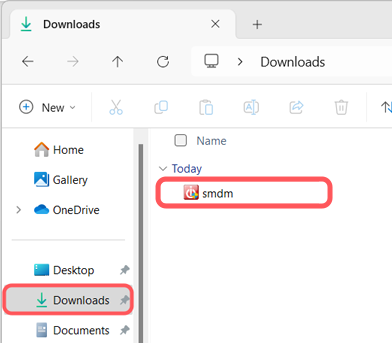
- Open the installer and follow the on-screen prompts
- License Key: {LicenseKey}
Thank you for your purchase! You will soon receive emails with information regarding the product(s) purchased.
Your Order ID: {OrderID}
Order Status: {OrderStatus}
{Product Name}
Discount
Subtotal
Taxes
({Quantity} item)
{Price}
{Discount}
{Subtotal}
Taxes
This order was paid by credit card, last four digits {xxx-xxxxx-xxxx-1515}.
You can access your invoice here.
Our support team will gladly assist you with any questions:
- For billing support, contact {PPG Phone Number} or {PPG Online Support URL}
- For product support, email hpsupportintl@iolo.com
Our support team will gladly assist you with any questions:
- For billing support, contact {PPG Phone Number} or {PPG Online Support URL}
- For product support, email hpsupportintl@iolo.com
© PayPro Global – Official Reseller of System Mechanic Standard

{CustomerFirstName}, thank you for purchasing iolo.
{ProductName} from PayPro Global, a trusted e-commerce reseller.
If you have not activated your software yet, it only takes a moment. If you already have, you are all set!
Need to activate?
- Download System Mechanic below.
- Open the installer and follow the on-screen prompts.
- License key: {LicenseKey}
Order Details:
{ProductName} {Quantity| {Price}
Our support team will gladly assist you with any questions:
Kind Regards,
The PayPro Global Customer Care Team